
Trending Now
Popular Products


Seenin Zodiac Zip-Back Fleece Sleepsuit – With or Without Feet
The Seenin Zip-Back Fleece Sleepsuit – Zodiac is warm adaptive nightwear designed for children and teenagers who may remove their clothing, nappies or continence products during the night. Its secure reverse zip fastening helps keep clothing in place while providing a comfortable and practical...
- from £34.49
- Unit price
- / per


Whizz Balance Bike - Green
The Whizz Balance Bike - Green is a lightweight, easy-to-handle balance bike designed to help young children build confidence, coordination and early cycling skills. Suitable from 24 months, it encourages children to move the bike using their feet while learning how to balance, steer...
- £57.99 (£69.59 inc VAT)
- Unit price
- / per


Crocodile Cuddle Ball
The Crocodile Cuddle Ball combines the soft, comforting feel of a sensory cuddle ball with playful crinkly crocodile spikes for an added tactile experience. Soft enough for cuddling and squeezing, it offers children an engaging sensory companion for home, school, sensory rooms and calming...
- £19.99 (£23.99 inc VAT)
- Unit price
- / per
Need Help?
Contact Us


- Shop
- Shop
- Swim
-
Clothing
- Clothing
- All Clothing
- Bibs & Aprons
- Body Vests & Unitards
- 100% Cotton
- Carers Clothing - Bite Resistant
- Compression
- Communication
- Daywear
- Eczema
- Orthotic
- Popper Vests
- Rip Resistant Clothing
- Seamfree
- Seclusion Wear
- Sleepwear
- Sensory Schoolwear
- Socks
- Tube / Peg Feeding
- Thermal
- Underwear
- UV Sun Protective
- Easy Dressing & Wheelchair Clothing
- Footwear
-
Sensory & Activities
- Sensory & Activities
- All Sensory
- Exercise & Movement
- Fidget Toys & Aids
- Light & Sound Toys
- Outdoor
- Sensory Equipment & Aids
- Sensory Integration Equipment
- Sensory Garden
- Sensory Lighting
- Sensory Rooms
- Sensory Support On the Go
- Sensory Toys
- Sensory Wall Panels
- Sitting Aids
- Vibrating Therapy
- Weighted
- Wooden Toys
- Chewing & Biting
-
Toileting
- Toileting
- All Toileting
- Bedwetting
- Smearing Aids
- Accessories
- Bedtime
- Daily Living
- Learning
- Out & About
- AAC Switches, Tech & Gaming
- Early Years
- Teens & Adults
- Dementia
- Taboo
- VAT Exemption
- Sensory Needs & Regulation
- Gift Ideas
- Conditions
- Conditions
-
Additional Learning Needs
- Additional Learning Needs
- Communication Aids
- Concentration Aids
- Writing & Desktop
- ADHD
- Angelman
- Anxiety
-
Austism (ASD)
- Austism (ASD)
- Behaviour Management
- Planning & Structure
- Sleep Issues
- Cerebral Palsy
- Charcot Marie Tooth Disease
- Dementia
- Down's Syndrome
- Dyspraxia/Dyscalculia
-
Fine & Gross Motor Skills
- Fine & Gross Motor Skills
- Cognitive Development
- Fine Motor Development
- Motor Development / Balance
- Resistance & Movement
- Scoliosis
- SEMH
-
Sensory Processing Disorder
- Sensory Processing Disorder
- Sensory Rooms
- Professionals
- Guides & Support
- Blog
- About Us
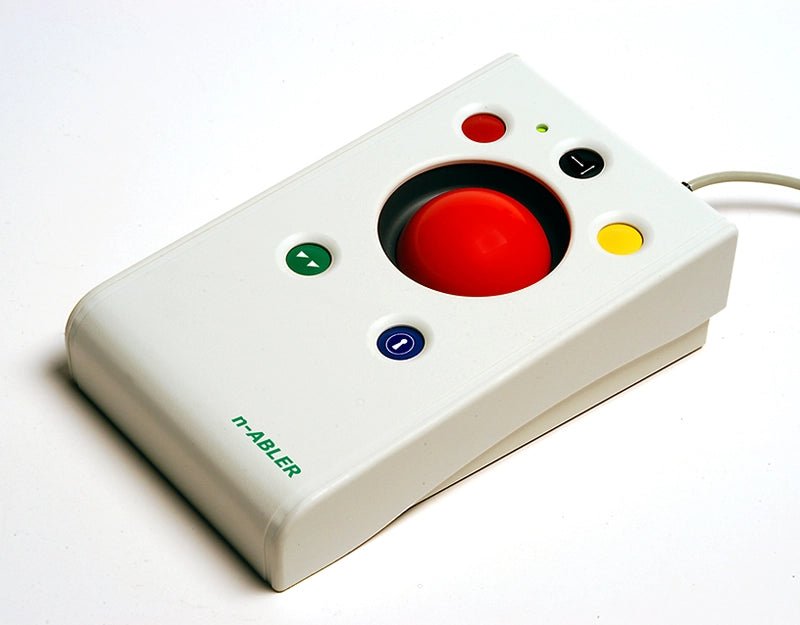


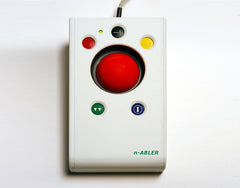
n-ABLER Trackball – Accessible Computer Mouse Alternative
Going to look elsewhere?
Before you do, remember, we are a not for profit CIC. Another store may be slightly cheaper, but every penny spent with us helps children with disabilities.
No reviews
- £219.49 (£263.39 inc VAT)
- Unit price
- / per
SKU:
NABTR
The n-ABLER Trackball is an accessible computer mouse alternative with a large, light-touch ball, adjustable cursor speed, dedicated double-click and drag-lock buttons, Dwell Click and two 3.5mm switch sockets. Its stable, ambidextrous design requires minimal hand movement and can be mounted in different orientations.
VAT: Our prices are primarily displayed without VAT (Value Added Tax), as many of our customers qualify for VAT exemption due to disability. To benefit from this, simply complete a VAT exemption form, and we will refund the VAT on your first order. For future purchases, please create an account so we can update your account to VAT exempt status, ensuring that VAT will no longer be applied at checkout. If you are not eligible for exemption, VAT will automatically be added during checkout.Please note: that some products are VAT exempt by default.
Please Note: These products are sold with their intended purpose as described. We cannot be held responsible for any misuse of items where physical force has been used to damage the product or where it had been used in a manner that it was not designed for. If in doubt of its suitability, please get in touch.

The n-ABLER Trackball is an accessible computer mouse alternative designed for people who find a standard mouse difficult, tiring or uncomfortable to use. Its large, free-running trackball responds to a light touch, allowing the cursor to be controlled using the fingertips with minimal hand, wrist or arm movement.
Ideal for children and adults with limited mobility, reduced dexterity, learning difficulties or additional access needs, the n-ABLER combines a stable ergonomic design with programmable buttons, adjustable cursor speeds and switch-access options.
The symmetrical layout can be used with either hand, while the integrated palm rest supports a more relaxed working position. Left- and right-click functions can also be exchanged for left-handed use, with settings retained when the trackball is disconnected or moved to another computer.
Accessible Computer Control
The large 63mm trackball has a high-mass, free-running design that requires very little effort to move. This can help reduce repeated wrist and elbow movements during computer work, learning activities, communication tasks and leisure use.
Dedicated buttons provide easier alternatives to actions that may be difficult with a conventional mouse, including double-clicking and click-and-drag. The buttons are colour coded and mounted slightly below the surface to help reduce accidental activation.
Adjustable to Individual Needs
Cursor speed can be changed directly on the unit, allowing movement to be made slower and more controlled or faster where appropriate. A single-axis function can restrict cursor movement to horizontal or vertical directions, which may help users who find precise pointer control challenging.
The direction of cursor movement can also be reconfigured, allowing the n-ABLER Trackball to be positioned or mounted in different orientations without affecting how the pointer moves on screen.
Switch Access and Dwell Click
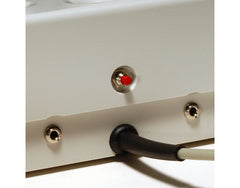
Two 3.5mm switch sockets allow external accessibility switches to operate any of the six built-in button functions, including cursor speed control. This gives users greater flexibility in choosing the most comfortable and reliable method of access.
For users who find pressing buttons or switches difficult, the programmable Dwell Click function can perform an action automatically when the pointer remains in one position. Both the dwell time and the required action, such as left click or double click, can be selected.
Features
- Large 63mm trackball: Requires only a light touch for cursor movement.
- Minimal hand movement: Fingertip operation may help reduce wrist, elbow and arm fatigue.
- Ambidextrous design: Suitable for left- or right-handed use.
- Integrated palm rest: Supports a more relaxed hand and working position.
- Dedicated double-click button: Performs a double click without two rapid presses.
- Drag-lock function: Makes click-and-drag actions easier to complete.
- Adjustable cursor speed: Tailors pointer movement to the individual user.
- Single-axis control: Restricts movement to horizontal or vertical directions when required.
- Scrolling function: Supports up-and-down or left-and-right scrolling.
- Programmable Dwell Click: Enables computer access without repeatedly pressing buttons or switches.
- Switch adapted: Includes two 3.5mm sockets for external accessibility switches.
- Programmable switch functions: Connected switches can operate any of the six built-in button functions.
- Audible and visual feedback: Indicates when a function has been selected or changed; sound can be muted.
- Stable construction: Large footprint helps prevent movement during use.
- Mounting compatible: Industry-standard three-point fixing allows attachment to a suitable mounting system.
- Plug-and-play installation: No separate driver software is required.
- Settings memory: Selected settings are retained when the computer is restarted or the unit is moved.
Specifications
- Product type: Accessible trackball and computer mouse alternative
- Trackball diameter: 63mm
- Dimensions: 235mm × 130mm × 75mm high
- Approximate palm rest height: 50mm
- External switch sockets: 2 × 3.5mm
- Connection: Auto-detecting USB and PS/2 protocols
- Installation: Plug and play; no driver software required
- Mounting: Industry-standard three-point fixing system
- Orientation: Cursor direction can be adjusted for alternative mounting positions
Please note: External accessibility switches and mounting equipment are not included unless stated separately. Check the available connection ports on the intended computer before ordering, as an adaptor may be required for some modern devices.
- Children, young people and adults who find a conventional computer mouse difficult to control.
- People with limited hand movement, reduced dexterity, muscle weakness or movement impairments.
- Users who experience wrist, hand, arm or elbow fatigue when using a standard mouse.
- Left- or right-handed users who need an adaptable mouse alternative.
- People who find double-clicking or click-and-drag actions difficult.
- Users who access a computer through external accessibility switches.
- People who may benefit from automatic dwell clicking rather than pressing a button.
- Special schools, colleges, workplaces, libraries, care settings and home computer workstations.
- Computer access, education, communication software, creative activities, games and everyday internet use.
- Trackball diameter: 63mm
- Dimensions: 235mm × 130mm × 75mm high
- Approximate palm rest height: 50mm
- External switch sockets: 2 × 3.5mm
If there are any supporting files or resources, they will be listed below.
Further Advice
VAT Exemption Form
Grant Finder
Product specific shipping policy
This item is shipped directly from the supplier, please allow extra time for delivery.
Some suppliers may not ship large items to areas such as Northern Ireland, the Shetland Islands, Isle of Man, Jersey, or Guernsey. If they do, there may be an additional cost. Please contact us before placing your order.